


Meilisearch
如今搜索功能已成为几乎所有应用不可或缺的一部分。无论是电商平台、内容管理系统,还是企业内部知识库,用户都期待能够快速、准确地找到他们需要的信息。然而,传统的搜索解决方案往往面临着诸多挑战:响应速度慢、相关性差、难以适应大规模数据、缺乏灵活性等。这些问题不仅影响用户体验,还可能导致用户流失,最终影响业务增长。
那么,有没有一种搜索引擎能够兼顾速度、准确性、易用性和可扩展性呢?今天给大家推荐一款强大的开源搜索引擎 - Meilisearch。
Meilisearch 简介
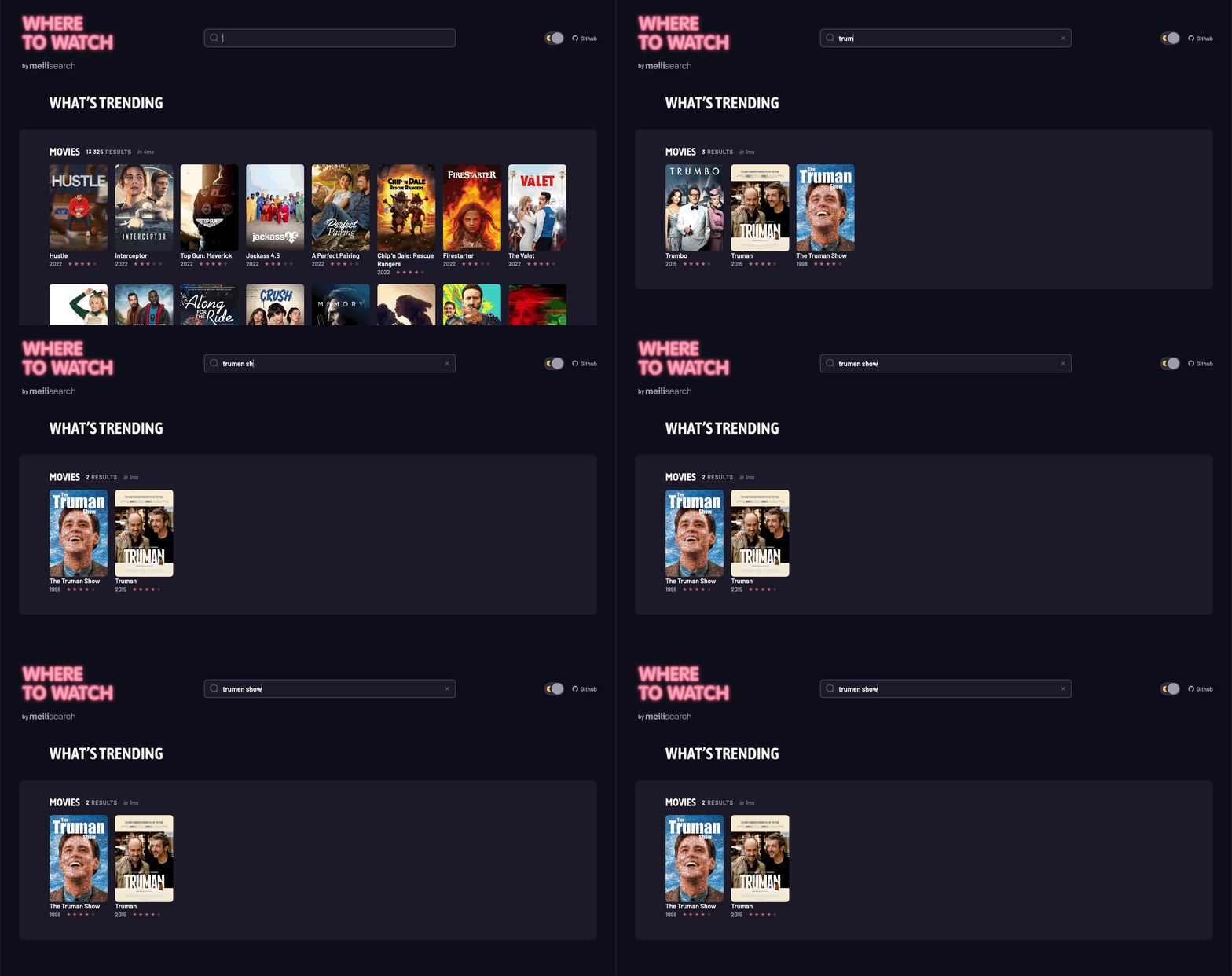
Meilisearch 是一个强大的开源搜索引擎,使用 Rust 语言编写,提供了闪电般快速的全文搜索功能,并且易于使用和集成。Meilisearch 旨在为开发者和最终用户提供一个即时且相关性优先的搜索体验。
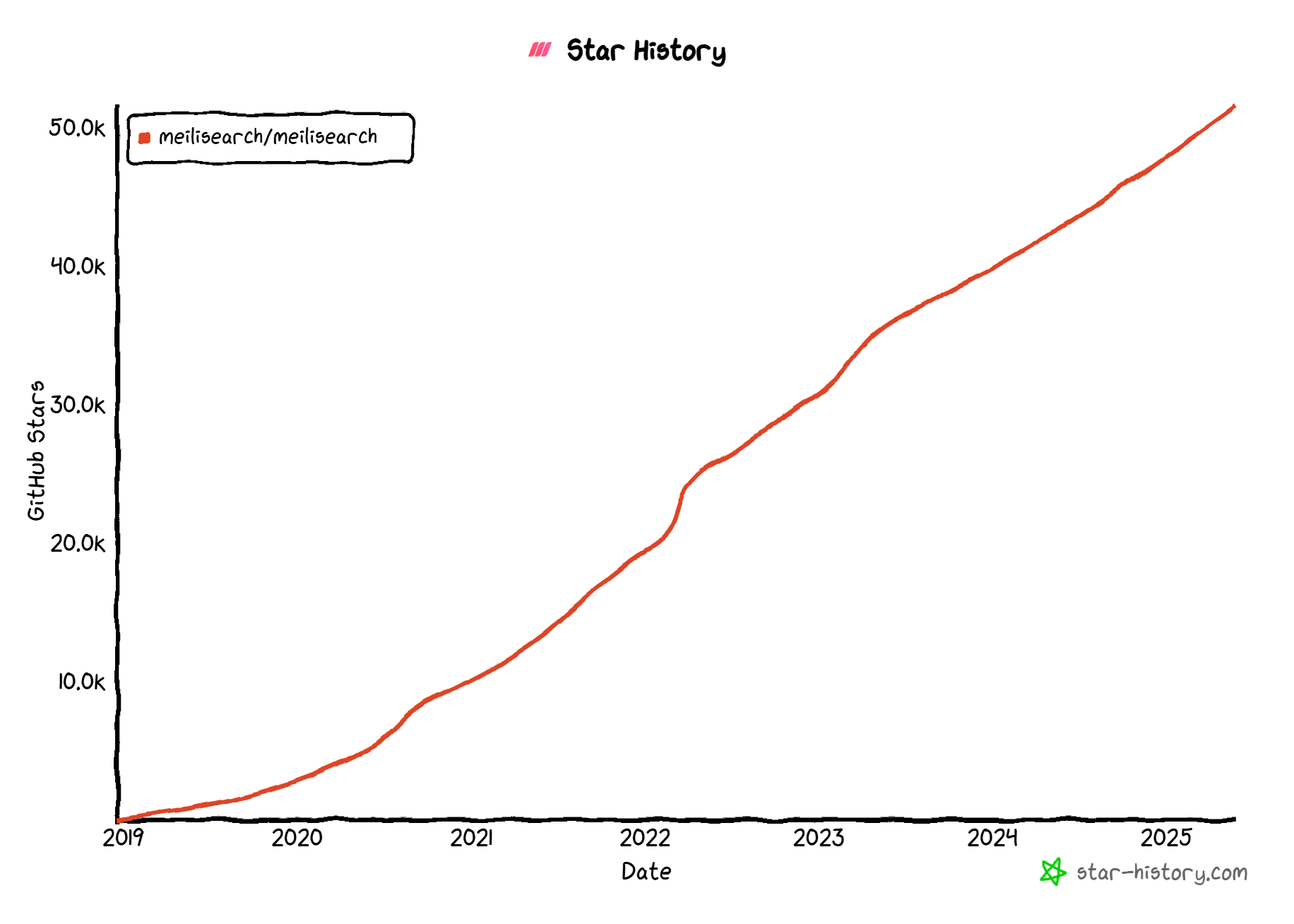
自2018年首次发布以来,Meilisearch 凭借其简单易用的特性和卓越的性能,迅速在开源社区中脱颖而出。
Meilisearch 之所以受到很多开发者喜爱,主要有以下几个特点:
- 快!真的快!:这是 Meilisearch 最核心的优势。它被设计用来提供 “即时搜索” 体验,用户输入关键词时几乎没有延迟就能看到结果。
- 简单易用:相比于一些功能庞大、配置复杂的搜索引擎 (比如 Elasticsearch),Meilisearch 的安装、部署和使用都非常简单。你不需要成为搜索专家,也能很快上手,让你的应用拥有强大的搜索功能。
- 开箱即用的高相关性:Meilisearch 内置了一套智能的排序规则。它能自动处理拼写错误 (比如你搜 “iphnoe”,它也能找到 “iphone”)、识别前缀 (输入 “app” 就能找到 “apple”),并根据词语的重要性、匹配度等因素,优先展示最相关的结果。你基本不用怎么配置,就能得到不错的搜索效果。
- 灵活定制:虽然开箱即用很方便,但 Meilisearch 也允许你根据自己的需求调整搜索行为,比如自定义排序规则、设置过滤条件、实现分面搜索 (比如电商网站常见的按品牌、价格区间筛选) 等。
- 开发者友好:它提供了清晰的 REST API,并且有各种主流编程语言的官方和社区 SDK (软件开发工具包),方便你把它集成到自己的网站或应用中。
- 轻量级:它对资源的消耗相对较低,部署起来比较方便。
Meilisearch 的特性
Meilisearch 提供了丰富多样的搜索功能,可以满足从个人项目到大型企业应用的各种需求。核心功能如下:
搜索性能
- 闪电般的速度:无论数据集大小如何,都能在 50 毫秒内返回结果。
- 即时搜索:支持 “搜索即输入” (Search-as-you-type) 功能,提供实时反馈。
- 拼写容错:智能处理拼写错误,即使查询中存在错误也能返回相关结果。
相关性优化
- 自定义排序:允许根据业务需求自定义搜索结果的排序规则。
- 分面搜索:支持多维度的结果过滤和导航。
- 同义词管理:可以设置同义词,提高搜索的灵活性。
多语言支持
- 多语言优化:针对多种语言进行了优化,包括中文、日文等非拉丁语系。
- 停用词处理:可配置停用词列表,忽略对搜索结果影响不大的常见词。
高级功能
- 地理位置搜索:支持基于地理位置的搜索和排序。
- 多租户支持:通过租户令牌实现数据隔离和访问控制。
- 高亮显示:在搜索结果中高亮显示匹配的文本。
- 文档管理:支持添加、更新和删除索引中的文档。
开发者友好
- RESTful API:提供简洁明了的 API,易于集成。
- 多语言 SDK:官方提供多种编程语言的 SDK。
- 文档详细:提供全面的文档和示例。
- 可自托管:支持在自己的基础设施上部署和管理。
Meilisearch vs. 其他搜索解决方案
为了更直观地展示 Meilisearch 的优势,我们可以将其与市面上的其他主流搜索解决方案进行对比:
| 特性 | Meilisearch | Elasticsearch | Algolia |
|---|---|---|---|
| 响应速度 | <50ms | 因环境和配置而异,通常>100ms | <100ms |
| 易用性 | 高 | 中 | 高 |
| 自动错误纠正 | 是 | 需配置 | 是 |
| 多语言支持 | 优秀 | 良好 | 优秀 |
| 地理位置搜索 | 支持 | 支持 | 支持 |
| 开源 | 是 | 是(部分功能闭源) | 否 |
| 定价 | 免费(自托管) | 免费(自托管),付费云服务 | 付费 SaaS |
虽然 Elasticsearch 在功能全面性和生态系统方面略胜一筹,Algolia 则在云服务和开箱即用体验上有优势,但 Meilisearch 在速度、易用性和开源友好度上独树一帜。特别是对于中小型项目和希望完全控制搜索基础设施的团队来说,Meilisearch 提供了一个完美的平衡点。
Meilisearch 的安装使用
Docker安装
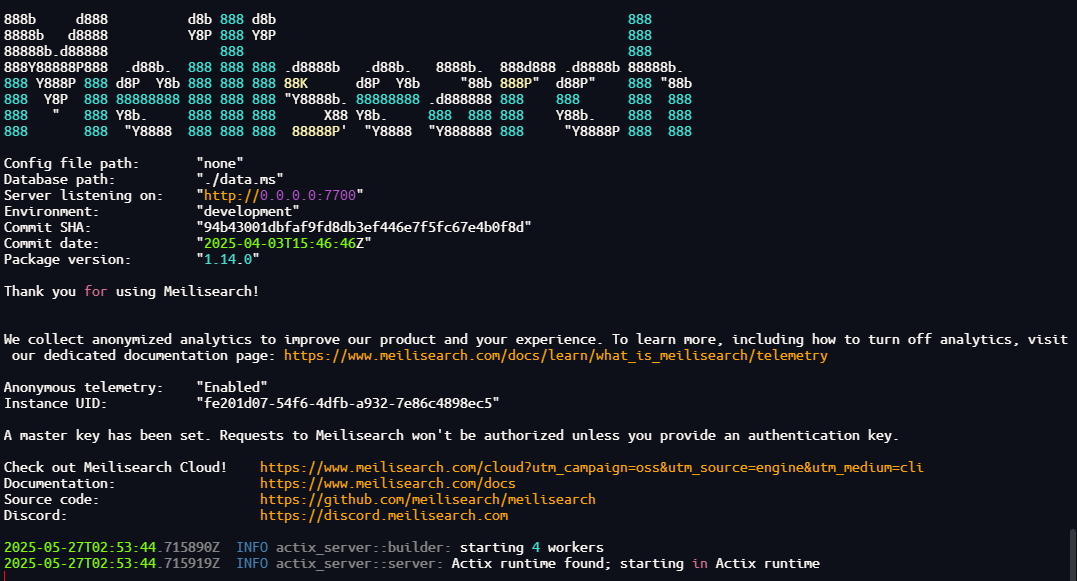
docker run -it --rm \-p 7700:7700 \-v $(pwd)/meili_data:/meili_data \-e MEILI_MASTER_KEY='B1I1QNTIQWNLW70Y9LWZZXMP' \getmeili/meilisearch:v1.14等待下载镜像以后,运行起来显示这个就算启动成功了
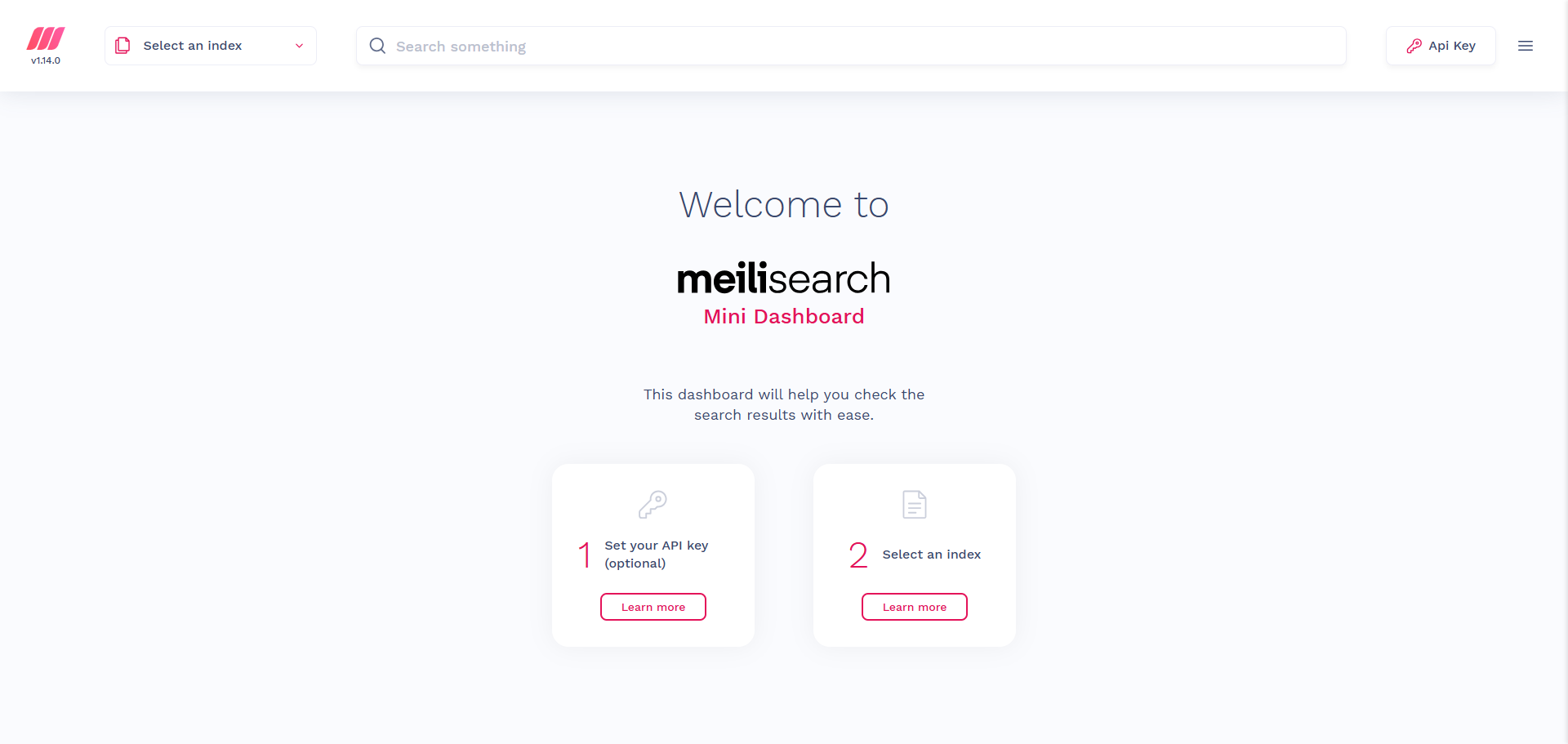
访问页面 http://192.168.1.147:7700/
JAVA集成
依赖
添加Meilisearch的Java SDK依赖
<!--Meilisearch Java SDK--><dependency> <groupId>com.meilisearch.sdk</groupId> <artifactId>meilisearch-java</artifactId> <version>0.14.3</version></dependency>配置
添加Meilisearch的连接配置
meilisearch: host: http://192.168.1.147:7700 index: goods master_key: B1I1QNTIQWNLW70Y9LWZZXMP配置类
配置好Meilisearch对应的Client
@Configurationpublic class MeilisearchConfig {
@Value("${meilisearch.host}") private String MEILISEARCH_HOST;
@Value("${meilisearch.master_key}") private String MEILISEARCH_MASTER_KEY;
@Bean public Client searchClient(){ return new Client(new Config(MEILISEARCH_HOST,MEILISEARCH_MASTER_KEY)); }}Controller
@RestController@Tag(name = "MeilisearchController",description = "Meilisearch搜索功能")@RequestMapping("/meilisearch")public class MeilisearchController {
@Value("${meilisearch.index}") private String MEILISEARCH_INDEX;
@Autowired private Client searchClient;
@GetMapping("/createIndex") @Operation(summary = "创建索引并导入商品数据") public CommonResult createIndex(String meiliIndex){ ClassPathResource resource = new ClassPathResource("json/"+meiliIndex+".json"); String jsonStr = IoUtil.read(resource.getStream(), Charset.forName("UTF-8")); Index index = searchClient.index(meiliIndex); TaskInfo info = index.addDocuments(jsonStr, "id"); return CommonResult.success(info); }
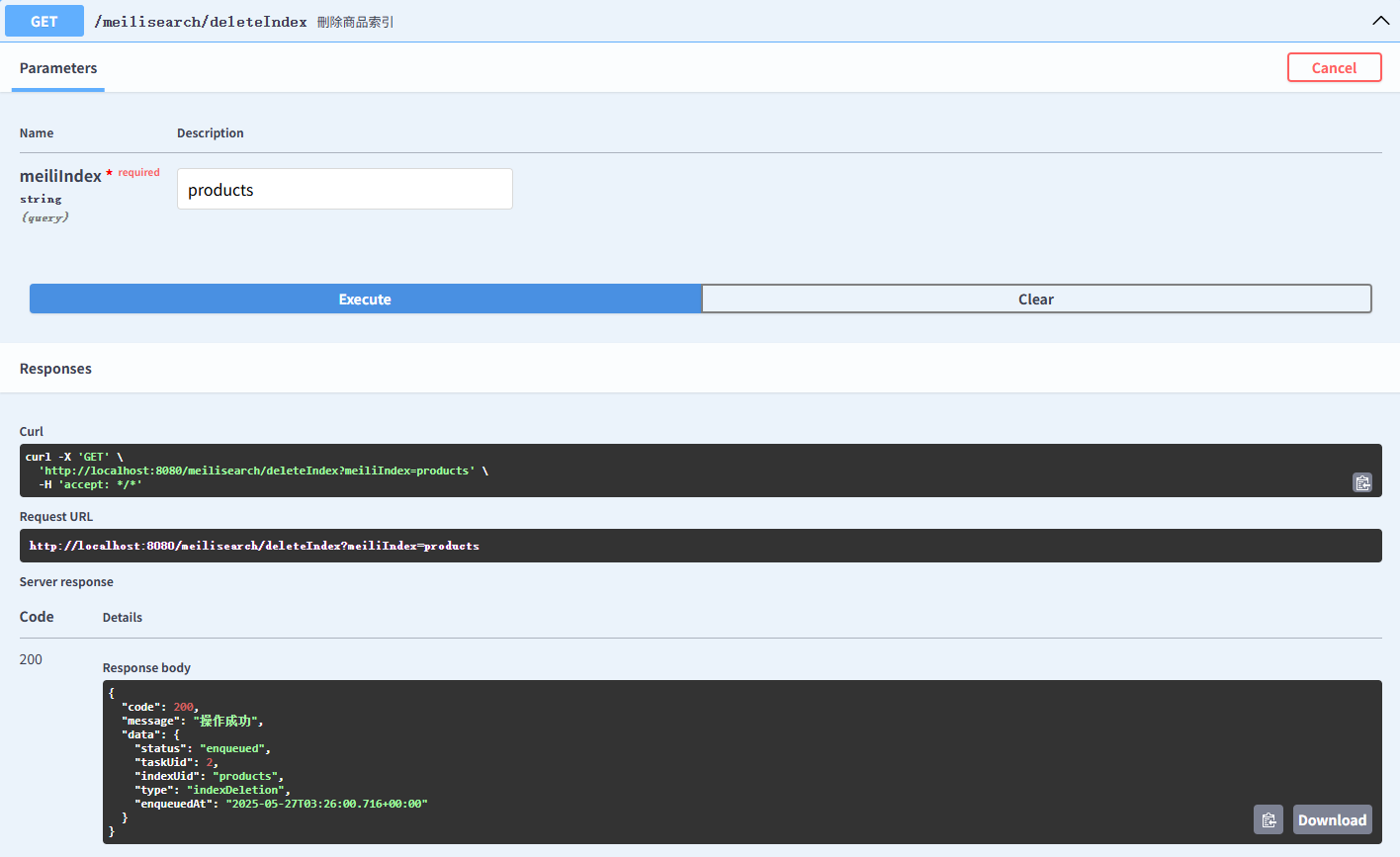
@Operation(summary = "刪除商品索引") @GetMapping("/deleteIndex") public CommonResult deleteIndex(String meiliIndex){ TaskInfo info = searchClient.deleteIndex(meiliIndex); return CommonResult.success(info); }
@Operation(summary = "获取索引设置") @GetMapping("/getSettings") public CommonResult getSettings(String meiliIndex){ Settings settings = searchClient.index(meiliIndex).getSettings(); return CommonResult.success(settings); }
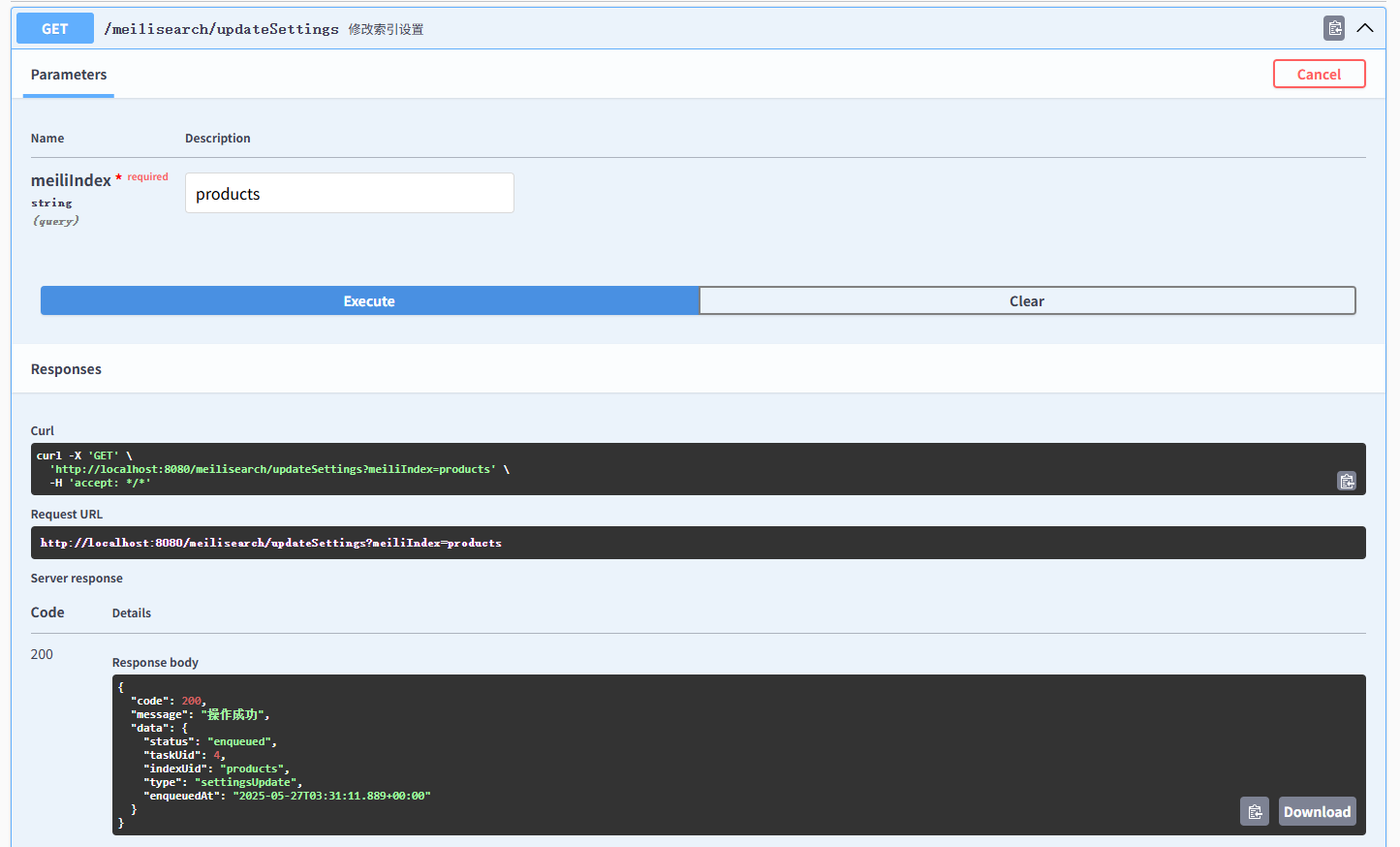
@Operation(summary = "修改索引设置") @GetMapping("/updateSettings") public CommonResult updateSettings(String meiliIndex){ Settings settings = new Settings(); settings.setFilterableAttributes(new String[]{"productCategoryName"}); settings.setSortableAttributes(new String[]{"price"}); TaskInfo info = searchClient.index(meiliIndex).updateSettings(settings); return CommonResult.success(info); }
@Operation(summary = "根据关键字分页搜索商品") @GetMapping(value = "/search") @ResponseBody public CommonResult search(@RequestParam(required = true) String meiliIndex, @RequestParam(required = false) String keyword, @RequestParam(required = false, defaultValue = "1") Integer pageNum, @RequestParam(required = false, defaultValue = "5") Integer pageSize, @RequestParam(required = false) String classNames, @RequestParam(required = false,value = "0->按价格升序;1->按价格降序") Integer order) { SearchRequest.SearchRequestBuilder searchBuilder = SearchRequest.builder(); searchBuilder.page(pageNum); searchBuilder.hitsPerPage(pageSize); if(StrUtil.isNotEmpty(keyword)){ searchBuilder.q(keyword); } if(StrUtil.isNotEmpty(classNames)){ searchBuilder.filter(new String[]{"class_names="+classNames}); } if(order!=null){ if(order==0){ searchBuilder.sort(new String[]{"suggested_retail_price:asc"}); }else if(order==1){ searchBuilder.sort(new String[]{"suggested_retail_price:desc"}); } } Searchable searchable = searchClient.index(meiliIndex).search(searchBuilder.build()); return CommonResult.success(searchable); }}数据
products.json 实例数据
[ { "id": 30, "productSn": "HNTBJ2E042A", "brandId": 50, "brandName": "海澜之家", "productCategoryId": 8, "productCategoryName": "T恤", "pic": "http://macro-oss.oss-cn-shenzhen.aliyuncs.com/mall/images/20180615/5ad83a4fN6ff67ecd.jpg!cc_350x449.jpg", "name": "HLA海澜之家简约动物印花短袖T恤", "subTitle": "2018夏季新品微弹舒适新款短T男生 6月6日-6月20日,满300减30,参与互动赢百元礼券,立即分享赢大奖", "keywords": "", "price": 98.0, "sale": 0, "newStatus": 1, "recommandStatus": 1, "stock": 100, "promotionType": 0, "sort": 0, "attrValueList": [ { "id": 243, "productAttributeId": 7, "value": "蓝色,白色", "type": 0, "name": "颜色" }, { "id": 244, "productAttributeId": 24, "value": "HNTBJ2E042A", "type": 1, "name": "商品编号" }, { "id": 245, "productAttributeId": 25, "value": "夏季", "type": 1, "name": "适用季节" }, { "id": 246, "productAttributeId": 37, "value": "青年", "type": 1, "name": "适用人群" }, { "id": 247, "productAttributeId": 38, "value": "2018年夏", "type": 1, "name": "上市时间" }, { "id": 248, "productAttributeId": 39, "value": "短袖", "type": 1, "name": "袖长" } ] } ]goods4.json 快进商店体验店
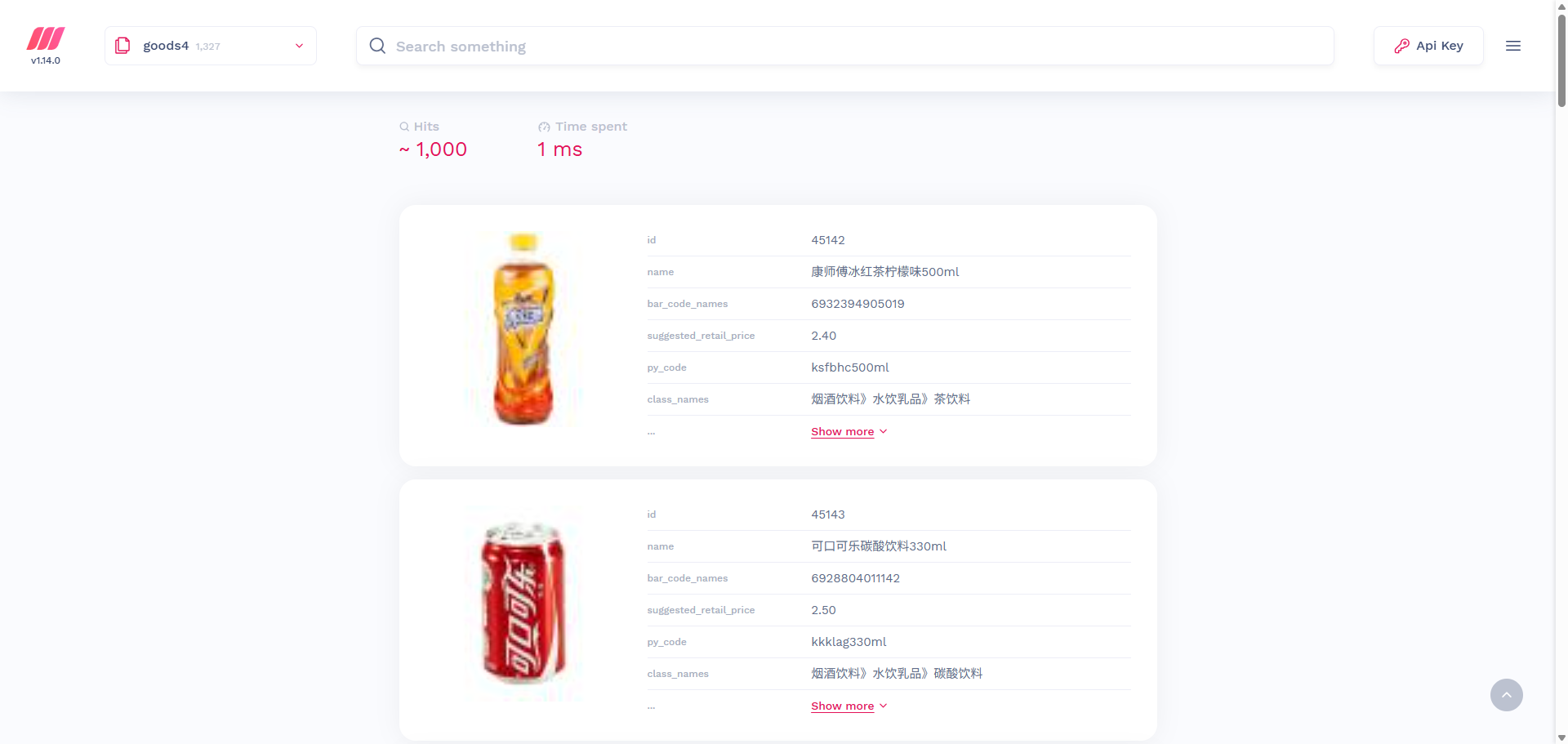
[ { "id": 45142, "name": "康师傅冰红茶柠檬味500ml", "barcode": "6932394905019", "pyCode": "ksfbhc500ml", "price": "2.40", "classNames": "烟酒饮料》水饮乳品》茶饮料", "brand": "康师傅", "unit": "500ml", "thumbnail": "https://cdn.ikuaijin.com/kj/merchandiseLibrary/product/20211122164016_HIB5sMDbt3L9eyhxKKvqW25q28cxF46S_80.jpeg" } ]使用
创建索引
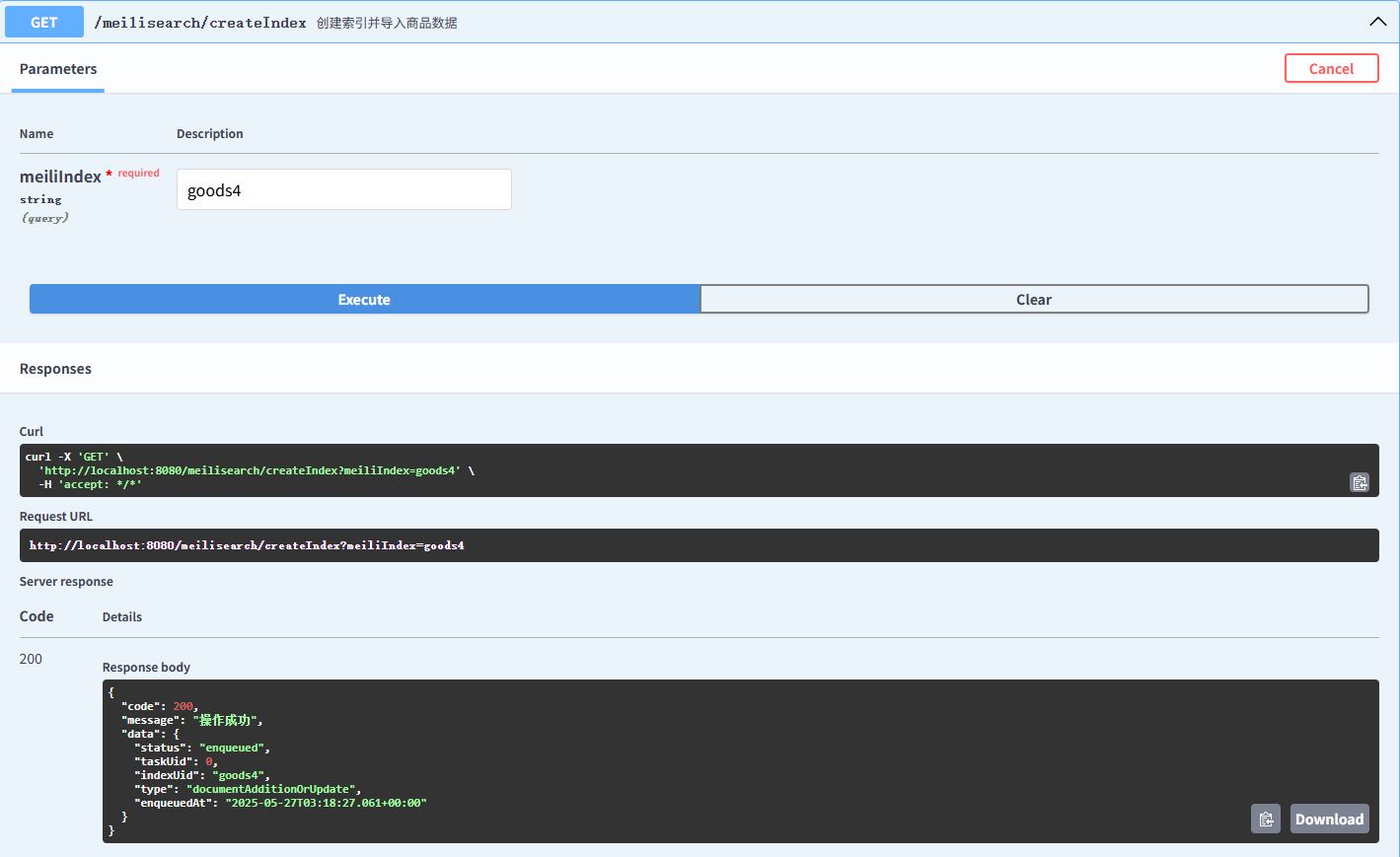
回到web页面,输入你设置的key,如果前面没有设置,这里就不会弹出来

商品数据
这边看到有1327条数据
删除索引
获取索引设置
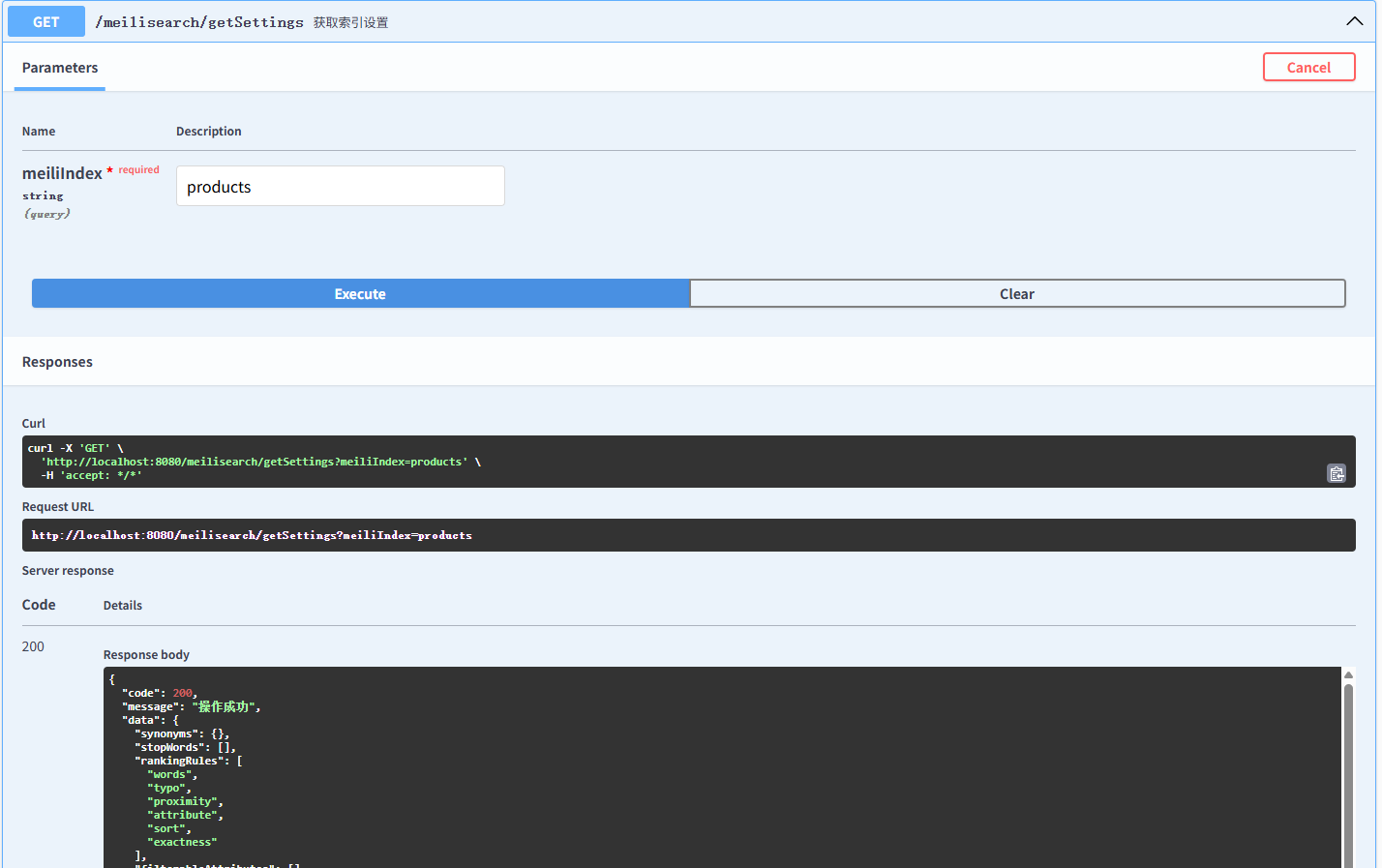
{ "code": 200, // HTTP 状态码,表示操作成功 "message": "操作成功", // 对状态码的文字描述 "data": { "synonyms": {}, // 同义词:将不同的词语视为相同,例如 US 和 United States。当前未配置任何同义词。 "stopWords": [], // 停用词:搜索时会被忽略的常见词语,例如 a,the,is。当前未配置任何停用词。 "rankingRules": [ // 排名规则:定义搜索结果的排序方式。 "words", // 根据搜索词在文档中出现的频率进行排序。 "typo", // 根据搜索词和文档中的词语之间的拼写错误数量进行排序。拼写错误越少,排名越高。 "proximity", // 根据搜索词在文档中出现的相邻程度进行排序。搜索词越接近,排名越高。 "attribute", // 根据可搜索属性的顺序进行排序。在 searchableAttributes 中越靠前的属性,权重越高。 "sort", // 使用指定的排序规则进行排序,例如按照价格或日期。需要在 sortableAttributes 中配置可排序的属性。 "exactness" // 精确匹配度。完整包含搜索词的文档排名较高。 ], "filterableAttributes": [], // 可过滤属性:允许你使用过滤器缩小搜索结果的范围,例如 category = 'books'。当前未配置任何可过滤属性。 "distinctAttribute": null, // 去重属性:用于在搜索结果中只显示具有唯一该属性值的文档。当前未配置任何去重属性。 "searchableAttributes": ["*"], // 可搜索属性:"*" 表示所有属性都可以被搜索。 "displayedAttributes": ["*"], // 显示属性:"*" 表示所有属性都会在搜索结果中显示。 "sortableAttributes": [], // 可排序属性:允许你按照这些属性对搜索结果进行排序。当前未配置任何可排序属性。 "typoTolerance": { // 拼写容错设置 "enabled": true, // 拼写容错功能已启用。 "minWordSizeForTypos": { // 拼写容错的最小词语长度 "twoTypos": 9, // 长度大于等于 9 个字符的词语允许出现两个拼写错误。 "oneTypo": 5 // 长度大于等于 5 个字符的词语允许出现一个拼写错误。 }, "disableOnWords": [], // 禁止拼写容错的词语列表。 "disableOnAttributes": [] // 禁止拼写容错的属性列表。 }, "pagination": { // 分页设置 "maxTotalHits": 1000 // 返回的最大匹配数量。即使有超过 1000 个匹配项,也只会返回前 1000 个。 }, "faceting": { // 分面搜索设置 "maxValuesPerFacet": 100, // 每个分面最多显示的值的数量。 "sortFacetValuesBy": { // 对分面值进行排序的方式 "*": "alpha" // 对所有分面值按字母顺序排序。 "count" 可以按数量排序。 } }, "dictionary": [], // 自定义词典:可以添加一些 Meilisearch 无法识别的词语。当前未配置任何自定义词语。 "proximityPrecision": "byWord", // 邻近度精度:"byWord" 表示邻近度基于词语计算。 "searchCutoffMs": null, // 搜索截止时间,单位毫秒。null 表示没有时间限制。 "separatorTokens": [], // 分隔符 Token:用于将词语分割成更小的 Token。 "nonSeparatorTokens": [], // 非分隔符 Token:防止特定的 Token 被分割。 "embedders": {}, // 嵌入器设置。用于向量搜索。目前为空,表示未配置任何嵌入器。 "localizedAttributes": null // 本地化属性。用于支持多语言搜索。目前为空,表示未配置任何本地化属性。 }}修改索引设置
settings.setFilterableAttributes(new String[]{"productCategoryName"}); settings.setSortableAttributes(new String[]{"price"});settings.setFilterableAttributes(new String[]{"productCategoryName"});: 将productCategoryName设置为可过滤属性。 这允许用户根据产品分类名称来过滤搜索结果。settings.setSortableAttributes(new String[]{"price"});: 将price设置为可排序属性。 这允许用户根据价格对搜索结果进行排序。
搜索商品
<!DOCTYPE html><html><head> <meta charset="UTF-8"> <meta name="viewport" content="width=device-width, initial-scale=1.0"> <title>商品搜索</title> <style> body { font-family: 'Arial', sans-serif; /* 更常见的字体 */ margin: 0; padding: 0; background-color: #f0f8ff; /* 淡蓝色背景,更柔和 */ color: #333; /* 更深的文本颜色,提高可读性 */ line-height: 1.6; /* 增加行高,提高可读性 */}
.container { max-width: 900px; /* 增加容器宽度,使内容更分散 */ margin: 30px auto; /* 增加上下边距 */ padding: 30px; background-color: #fff; border-radius: 12px; /* 更圆润的边角 */ box-shadow: 0 4px 12px rgba(0, 0, 0, 0.1); /* 更强的阴影效果 */}
h1 { color: #2e8b57; /* 海绿色标题 */ text-align: center; margin-bottom: 25px; /* 增加标题下方的边距 */}
input[type="text"] { width: 100%; padding: 12px; /* 增加内边距 */ margin-bottom: 15px; /* 增加下方边距 */ border: 1px solid #ddd; /* 更柔和的边框 */ border-radius: 8px; /* 更圆润的边角 */ box-sizing: border-box; font-size: 16px; /* 增加字体大小 */ transition: border-color 0.3s ease; /* 平滑的过渡效果 */}
input[type="text"]:focus { border-color: #2e8b57; /* 聚焦时边框颜色变化 */ outline: none; /* 移除默认的聚焦轮廓 */}
.product-list { list-style: none; padding: 0;}
.product-item { border: 1px solid #eee; /* 更淡的边框颜色 */ margin-bottom: 15px; padding: 15px; border-radius: 8px; background-color: #f8f8f8; /* 更淡的背景颜色 */ display: flex; align-items: center; transition: box-shadow 0.3s ease; /* 平滑的过渡效果 */}
.product-item:hover { box-shadow: 0 2px 8px rgba(0, 0, 0, 0.1); /* 鼠标悬停时增加阴影 */}
.product-image { width: 100px; /* 增加图像宽度 */ height: 100px; /* 增加图像高度 */ margin-right: 15px; object-fit: cover; border-radius: 8px;}
.product-details { flex-grow: 1;}
.product-name { font-weight: bold; margin-bottom: 8px; color: #333;}
.product-price { color: #777; font-size: 14px; /* 减小价格字体大小 */}
#no-results { text-align: center; color: #777; font-style: italic;}
#search-time { font-style: italic; color: #555; margin-top: 12px; text-align: right; font-size: 14px;}
.index-select { margin-bottom: 20px;}
.index-select label { font-weight: bold; margin-right: 10px; color: #555;}
.index-select select { padding: 10px; border: 1px solid #ddd; border-radius: 6px; font-size: 15px; appearance: none; /* 移除默认箭头 */ background-color: #fff; background-image: url("data:image/svg+xml,%3Csvg xmlns='http://www.w3.org/2000/svg' viewBox='0 0 24 24'%3E%3Cpath d='M7 10l5 5 5-5z'/%3E%3C/svg%3E"); /* 添加自定义箭头 */ background-repeat: no-repeat; background-position: right 10px center; background-size: 16px; cursor: pointer;}
#total-products { font-weight: bold; margin-bottom: 15px; color: #444;}
</style></head><body>
<div class="container"> <h1>商品搜索</h1>
<div class="index-select"> <label for="indexSelect">选择索引:</label> <select id="indexSelect"> <option value="goods4">快进商店体验店</option> <option value="goods312">夏商生鲜思北店</option> <option value="products">products</option> <!-- 添加更多索引选项 --> </select> </div>
<p id="total-products">商品总数:加载中...</p> <!-- 添加显示总数的元素 -->
<input type="text" id="searchInput" placeholder="输入商品名称..."> <p id="search-time"></p> <ul class="product-list" id="productList"> <!-- 商品列表将在这里动态生成 --> </ul> <p id="no-results" style="display:none;">未找到相关商品</p> </div>
<script> const searchInput = document.getElementById('searchInput'); const productList = document.getElementById('productList'); const noResults = document.getElementById('no-results'); const searchInfoDisplay = document.getElementById('search-time'); const meilisearchURL = 'http://192.168.1.147:7700'; const apiKey = 'B1I1QNTIQWNLW70Y9LWZZXMP'; const indexSelect = document.getElementById('indexSelect'); const totalProductsDisplay = document.getElementById('total-products'); // 获取显示总数的元素
// 在页面加载时获取索引的统计信息 async function fetchIndexStats(indexUid) { const url = `${meilisearchURL}/indexes/${indexUid}/stats`;
try { const response = await fetch(url, { method: 'GET', headers: { 'Content-Type': 'application/json', 'Authorization': `Bearer ${apiKey}`, }, });
if (!response.ok) { throw new Error(`HTTP error! status: ${response.status}`); }
const data = await response.json(); return data; // 返回统计信息 } catch (error) { console.error('获取索引统计信息出错:', error); totalProductsDisplay.textContent = '获取商品总数失败'; // 如果获取失败,显示错误信息 return null; } }
// 更新商品总数显示 async function updateTotalProducts(indexUid) { const stats = await fetchIndexStats(indexUid); if (stats) { totalProductsDisplay.textContent = `商品总数:${stats.numberOfDocuments}`; } }
// 初始加载时,获取默认索引的统计信息 updateTotalProducts(indexSelect.value);
// 监听索引选择的变化 indexSelect.addEventListener('change', (event) => { updateTotalProducts(event.target.value); // 切换索引时更新总数 });
searchInput.addEventListener('input', debounce(async (event) => { const searchTerm = event.target.value.trim();
if (searchTerm.length === 0) { productList.innerHTML = ''; noResults.style.display = 'none'; searchInfoDisplay.textContent = ''; return; }
try { const { results, timeMs,hits } = await searchProducts(searchTerm); displayProducts(results); searchInfoDisplay.textContent = `命中条数:${hits},查询时间:${timeMs} ms`; } catch (error) { console.error('搜索出错:', error); productList.innerHTML = '<li style="color: red;">搜索出错,请检查控制台。</li>'; noResults.style.display = 'none'; searchInfoDisplay.textContent = ''; } }, 200));
async function searchProducts(searchTerm) { const selectedIndex = indexSelect.value; const url = `${meilisearchURL}/indexes/${selectedIndex}/search?q=${encodeURIComponent(searchTerm)}`; const startTime = performance.now();
const response = await fetch(url, { method: 'GET', headers: { 'Content-Type': 'application/json', 'Authorization': `Bearer ${apiKey}`, }, });
if (!response.ok) { throw new Error(`HTTP error! status: ${response.status}`); }
const data = await response.json(); return { results: data.hits, timeMs: data.processingTimeMs,hits: data.estimatedTotalHits }; }
function displayProducts(products) { productList.innerHTML = '';
if (products.length === 0) { noResults.style.display = 'block'; return; } else { noResults.style.display = 'none'; }
products.forEach(product => { const listItem = document.createElement('li'); listItem.classList.add('product-item');
listItem.innerHTML = ` <img src="${product.thumbnail || 'placeholder.png'}" alt="${product.name}" class="product-image"> <div class="product-details"> <div class="product-name">${product.name}</div> <div>条码: ${product.barcode || 'N/A'}</div> <div>建议零售价: ${product.price || 'N/A'}</div> <div>品类: ${product.classNames || 'N/A'}</div> <div>品牌: ${product.brand || 'N/A'}</div> <div>规格: ${product.unit || 'N/A'}</div> </div> `; productList.appendChild(listItem); }); }
// Optional: Placeholder image function function generatePlaceholderImage(width, height, text) { const canvas = document.createElement('canvas'); canvas.width = width; canvas.height = height; const ctx = canvas.getContext('2d'); ctx.fillStyle = '#eee'; ctx.fillRect(0, 0, width, height); ctx.font = '20px sans-serif'; ctx.fillStyle = '#aaa'; ctx.textAlign = 'center'; ctx.textBaseline = 'middle'; ctx.fillText(text, width / 2, height / 2); return canvas.toDataURL('image/png'); }
// Debounce function to limit the frequency of API calls function debounce(func, delay) { let timeout; return function(...args) { const context = this; clearTimeout(timeout); timeout = setTimeout(() => func.apply(context, args), delay); }; }
</script>
</body></html>Meilisearch 能用在哪些地方?
Meilisearch 非常适合以下场景:
- 电商网站:快速搜索商品,提供筛选和排序。
- 文档/知识库:快速查找文档、文章、帮助页面。
- 应用内搜索:搜索用户、帖子、笔记、订单等任何结构化数据。
- 网站全局搜索:为你的网站或博客添加一个高效的站内搜索框。
- 需要 “即时搜索” 体验的任何地方。
参考资料
meilisearch安装和使用样例_meilisearch 中文文档-CSDN博客
超越Elasticsearch!号称下一代搜索引擎,性能炸裂! - 知乎